

Automation tools have become increasingly popular among gamers, developers, and productivity enthusiasts. Among these tools, auto clickers stand out for their ability to handle repetitive clicking tasks efficiently. However, not all auto clickers are the same.
Depending on your device and use case, the features and performance can vary significantly. This article provides a detailed auto clicker platform comparison focusing on Windows, Android, and browser-based tools to help you choose the right solution.
Table of Contents
Why Platform Comparison Matters?
Before downloading any automation software, understanding platform differences is essential. An effective auto clicker platform comparison highlights performance, flexibility, compatibility, and safety. Some tools are designed specifically for desktop precision, while others prioritize mobile accessibility or web-based convenience.
Choosing the wrong platform may lead to limited functionality, reduced efficiency, or compatibility issues. That’s why evaluating each environment carefully is important.
Auto Clicker Platform Comparison: Windows, Android & Browser Tools
1. Windows Auto Clickers
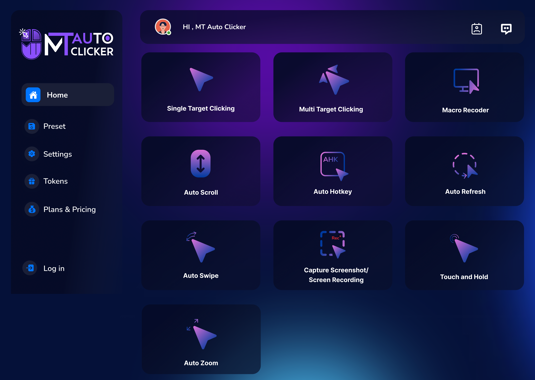
Windows remains the most popular platform for advanced automation. In this auto clicker platform comparison, Windows tools typically offer the most features and customization options.
Key Features on Windows
- Adjustable clicks per second (CPS)
- Multi-location clicking
- Customizable hotkeys
- Script or macro support
- Right-click and double-click simulation
- Scheduled timers
Because Windows systems support robust software development frameworks, auto clickers on this platform often include advanced scripting capabilities. This makes them ideal for gamers playing click-based or incremental games, as well as professionals handling repetitive tasks.
Advantages
- High customization
- Strong performance
- Precise control
- Multi-monitor support
Limitations
- Requires software installation
- Some tools may trigger antivirus warnings if downloaded from unknown sources
From a power-user perspective, Windows tools often rank highest in any detailed auto clicker platform comparison.
2. Android Auto Clickers
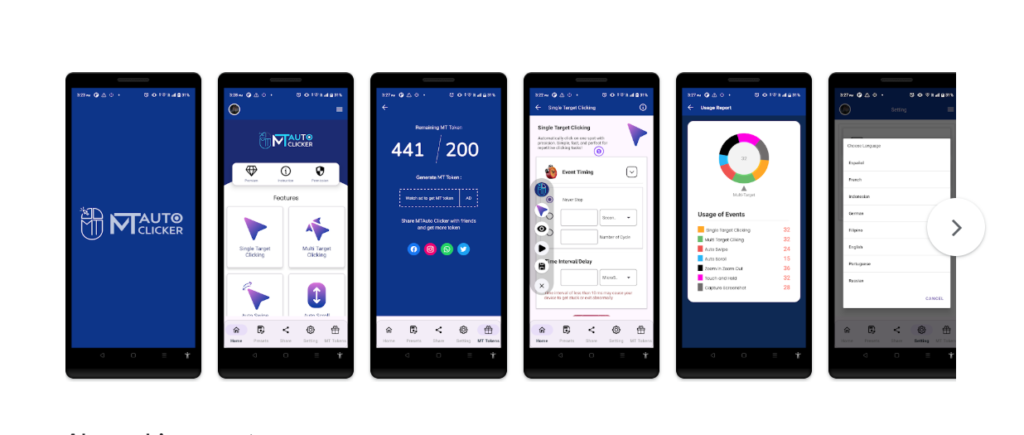
Mobile gaming and mobile productivity have grown rapidly. Android auto clickers are designed specifically for touchscreen environments. When conducting an auto clicker platform comparison, Android tools focus heavily on accessibility and ease of use.
Key Features on Android
- Floating control panels
- Tap point mapping
- Gesture simulation
- Adjustable tap intervals
- Multi-touch support
Unlike desktop versions, Android tools rely on accessibility permissions to simulate taps. This makes them convenient for click-based mobile games or repetitive app interactions.
Advantages
- Portable and flexible
- Ideal for mobile gaming
- Simple user interfaces
- No need for external hardware
Limitations
- Limited scripting compared to Windows
- Performance depends on device capability
- Some apps may restrict automation
In any balanced auto clicker platform comparison, Android tools are best suited for casual users and mobile-focused players who prioritize convenience over complex automation.
3. Browser-Based Auto Clickers
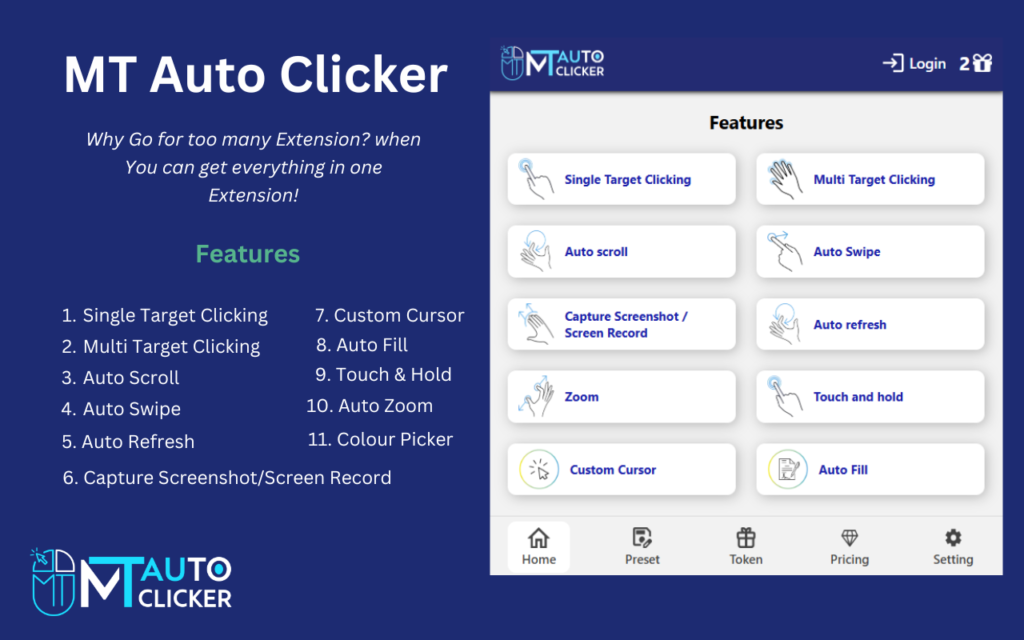
Browser auto clickers are web-based tools that operate within internet browsers. These tools are often used for lightweight automation tasks without installing software. In an auto clicker platform comparison, browser tools stand out for accessibility.
Key Features in Browser Tools
- Basic click interval adjustment
- Simple start/stop controls
- Lightweight interface
- No installation required
Browser-based tools are typically limited compared to Windows software. However, they are ideal for users who want quick automation without modifying their system.
Advantages
- Works instantly in browser
- No installation needed
- Accessible across devices
Limitations
- Limited customization
- No advanced scripting
- Dependent on browser performance
When conducting an auto clicker platform comparison, browser tools are best for temporary or simple tasks rather than complex workflows.
Performance Comparison
Performance varies significantly across platforms. A strong auto clicker platform comparison must evaluate speed, stability, and responsiveness.
- Windows: Highest speed and stability. Can handle high CPS settings with minimal lag.
- Android: Performance depends on device RAM and processor.
- Browser: Limited by browser engine and tab activity.
For high-frequency automation, Windows typically performs best. Android offers balanced performance, while browser tools are suitable for low-intensity tasks.
Ease of Use
Another key factor in any auto clicker platform comparison is user experience.
- Windows tools may require configuration but offer detailed settings.
- Android apps focus on visual tap mapping and simple controls.
- Browser tools are the easiest to start but the least flexible.
Beginners may prefer Android or browser tools, while advanced users often favor Windows versions.
Security and Safety
Security should never be ignored. A responsible auto clicker platform comparison includes risk awareness.
- Download Windows tools from trusted sources.
- On Android, review app permissions carefully.
- For browser tools, avoid suspicious extensions.
Using reputable software ensures safe automation without malware risks.
Gaming Use Cases
Gaming is one of the primary uses for auto clickers. In an auto clicker platform comparison, each platform serves different gaming styles.
- Windows: Best for PC clicker and idle games requiring precision.
- Android: Perfect for mobile click-based games.
- Browser: Useful for browser-based incremental games.
Players should always respect game policies when using automation tools.
Productivity Applications
Auto clickers are also valuable outside gaming. In this auto clicker platform comparison, productivity use cases include:
- Data entry simulations
- Software testing
- Repetitive workflow tasks
- Automated form interactions
Windows versions often dominate professional environments due to scripting capabilities. Android is more casual, while browser tools are convenient for quick tasks.
Customization Depth
Customization plays a major role in choosing the right platform.
- Windows tools provide deep scripting and macro options.
- Android apps allow gesture recording but limited coding.
- Browser tools typically offer minimal customization.
In any comprehensive auto clicker platform comparison, Windows leads in flexibility.
Which Platform Should You Choose?
The best choice depends on your needs:
- Choose Windows for advanced control and high performance.
- Choose Android for mobile convenience and gaming.
- Choose Browser tools for lightweight, quick automation.
A thorough auto clicker platform comparison shows that no single platform is universally superior — it depends on context.
Future Trends Across Platforms
Automation technology continues evolving. In future updates, we may see:
- AI-driven click automation
- Cross-platform syncing
- Cloud-based automation services
- Improved security measures
As innovation continues, future auto clicker platform comparison analyses may reveal even more advanced capabilities.
Final Thoughts
A proper auto clicker platform comparison highlights important differences between Windows, Android, and browser-based tools. Windows leads in power and customization, Android excels in mobility and accessibility, and browser tools provide instant convenience.
Choosing the right platform depends on your goals, device preference, and required level of control. By understanding these distinctions, users can select the most suitable auto clicker and maximize efficiency while maintaining safe and responsible usage.
Automation is a powerful tool — when used wisely, it enhances productivity and gaming experiences across all platforms.